


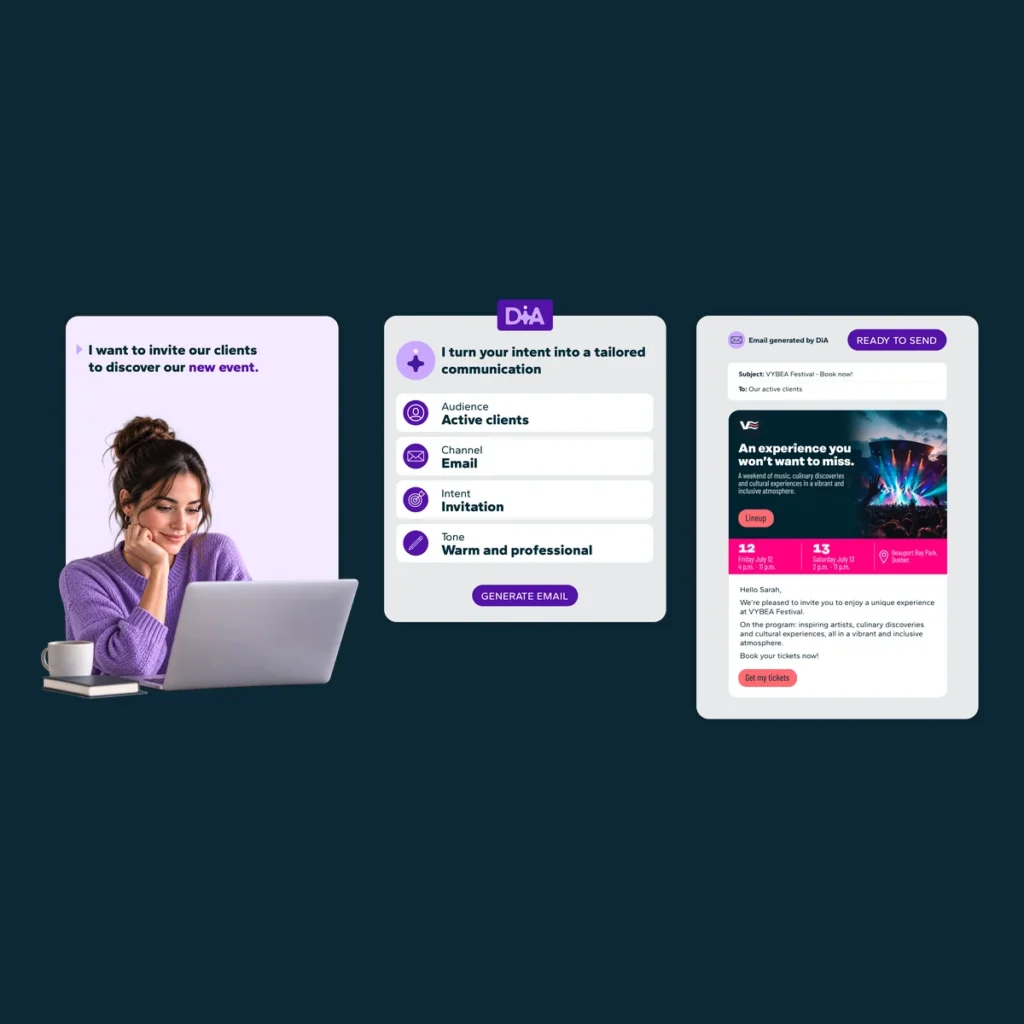
Create. Refine. Activate.
Building a campaign takes time and involves several essential steps. You need to identify the right audience, structure the campaign workflow, write the messages, and review every element before launch.
With AI Campaign Builder and AI Message Builder, simply describe your goal and select the appropriate DiA Context. DiA helps you build a segment, structure your campaign, and write personalized messages based on your customer data.
You can then review, refine, and complete each step before activating your campaign.
Spend more time optimizing your campaigns, analyzing your results, and focusing on your marketing strategy.
AI Campaign Builder is available with the Grow and Boost plans. AI Message Builder is available with all Dialog Insight plans.
The Benefits of AI Campaign Builder and AI Message Builder
Launch Your Campaigns Faster
Speed up every key step in the creation process, from defining your audience to writing engaging, personalized messages.
Get Relevant and Consistent Results
DiA takes into account the customer data available in the platform, the selected DiA Context, and the goal described in your request to propose campaigns and messages tailored to your needs and business context.
Work More Independently
Complete your campaign and message creation tasks more easily, without starting from scratch. You stay in control and can refine each proposal before activating it.
Spend More Time on Strategy
Reduce the time spent manually building campaigns so you can focus more on analyzing, optimizing, and improving your marketing initiatives.
How Do I Build a Campaign with AI?
1. Describe Your Goal
Clearly explain to DiA the goal of the campaign you want to create. Specify the audience you want to reach and include any other relevant information that can help guide the proposal.
2. Select Your DiA Context
Choose the DiA Context that best matches the campaign you want to create so the proposal aligns with your business context. If none of your existing contexts is suitable, create a new one before continuing.
3. Review the Proposed Campaign Plan
DiA generates an initial campaign plan that includes the segment, the objective, and the main steps of the workflow. Review the proposal and ask DiA to make changes as needed.
4. Create and Finalize Your Campaign
Several elements will be preconfigured by AI, but some steps will still require manual input. Review each element before finalizing your campaign.
How Do I Create a Message with AI?
1. Select the Email You Want to Create
In your campaign, click the Email node for which you want to create a message, then select the option to create it with AI.
2. Describe the Goal of Your Message
Tell DiA what you want your message to communicate. Specify your goal and mention any particular elements you want the message to include.
3. Select Your DiA Context
Choose the DiA Context that best matches your audience, your offer, and the goal of your message.
4. Review and Refine the Message
Review the generated content to ensure it reflects your intent, brand, and expertise. You can ask DiA to make changes or edit the content directly.
Frequently Asked Questions (FAQ)
Do I Need Technical Expertise to Use These Features?
No. These features are designed to simplify campaign creation and help marketing teams work more independently.
However, the quality of the proposals depends on the clarity of your request and the relevance of the selected DiA Context.
Can DiA Create a Campaign and All Its Messages in a Single Request?
No. You must first generate the structure of your campaign. You can then select each Email node and generate its content with AI.
What Can AI Campaign Builder Create?
Based on your request, AI Campaign Builder can create a segment and propose the structure of the main steps in your campaign. Although several elements are preconfigured, some steps will still require manual additions or adjustments.
For more information, visit our Help Center.
What Types of Messages Can I Create with AI Message Builder?
Currently, AI Message Builder supports email creation. AI-powered SMS generation is under development.
What Information Does DiA Use to Generate Proposals?
DiA uses the information provided in your request, the selected DiA Context, the customer data available in the platform, and marketing copywriting best practices to generate relevant and consistent proposals.
Does AI Message Builder Support Content Translation?
Currently, AI Message Builder does not automatically translate generated content.